SUUM VENDOR / PARTNER MANUAL

Vendor Policy – Suum Marketplace
Welcome to Suum Marketplace! We’re excited to have you onboard as a seller. Below are the guidelines and policies that govern vendor registration, account setup, product listing, and ongoing operations on the Suum platform.

1- 📝 How to Register as a Vendor

To start selling on Suum Marketplace:

Open the Suum Marketplace app

Tap the menu icon

Select “Register Now”

Choose “Register as a Vendor”

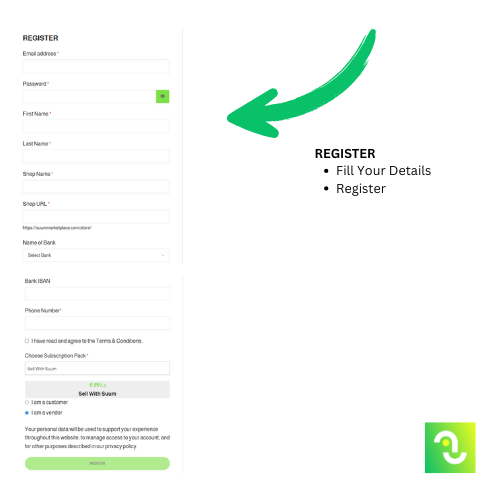
Complete the registration form by filling in all required fields, including:

Full Name

Store Name

Bank Name

IBAN

⚠️ Important: Your banking information is kept confidential and is used only by Suum to process payments to your account. It will never be shared with any third parties.

Once you’ve filled in all required information, you must pay the marketplace fees to activate your seller account. These fees are non-refundable.

2- ✅ Account Verification & Activation

After completing registration and payment:

Suum will review your application within 24 hours

If all information is correct, your store will be activated

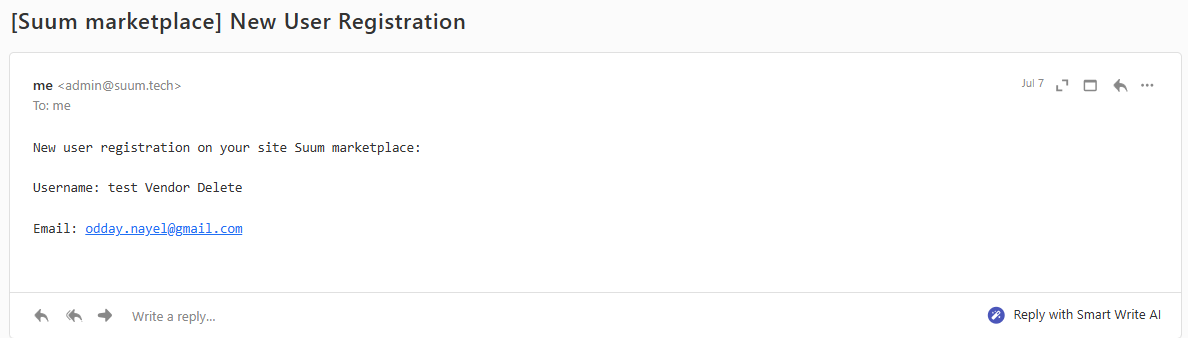
You will receive an email confirmation on your registered email

If your store is rejected, our team will contact you to help correct any missing or incorrect information.


3- 🔑 Accessing Your Vendor Dashboard Once approved, log in using your username and password to access your dashboard.

📦 Vendor Dashboard Features
Your dashboard gives you full control over your store. Key features include:

1. Products
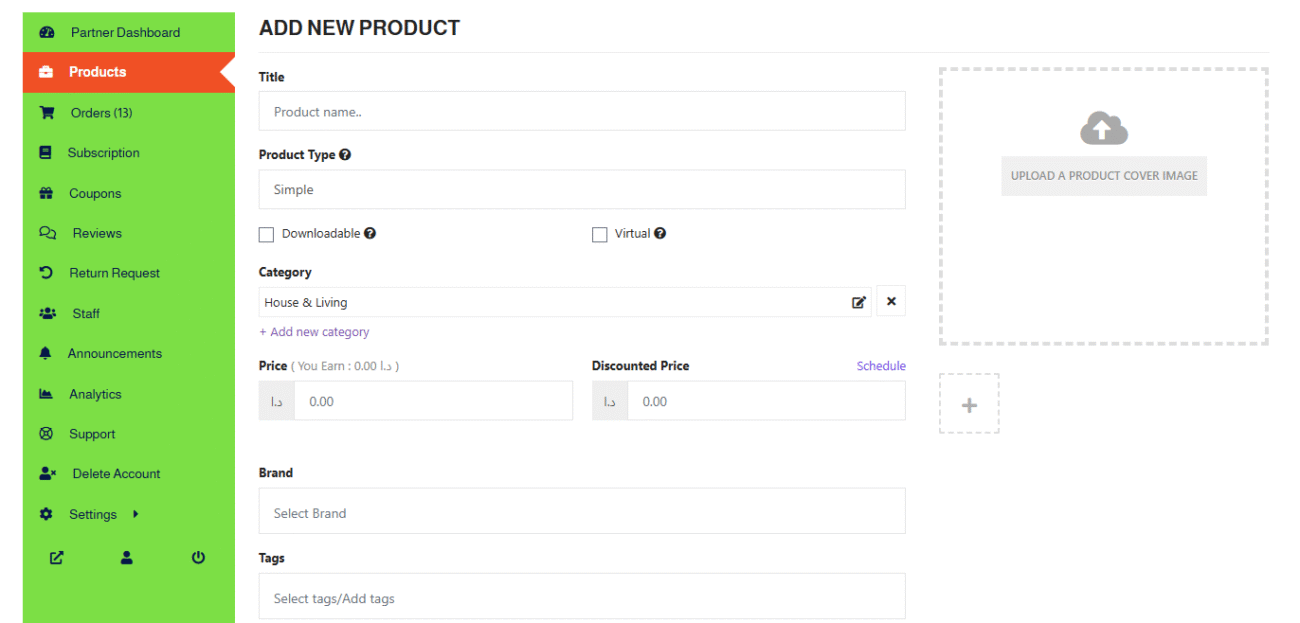
Add new products by providing:

Product Title

Correct Category

Clear Images

Reasonable Price

Product Attributes & Accurate Descriptions

🛡️ All products are reviewed by our Quality Assurance (QA) team. If your listing is rejected, you’ll receive feedback with the reason so you can make corrections and resubmit.

2. Order Management
Track incoming orders

Accept or reject orders

Manage inventory in real time

3. Store Insights
View your store ratings and performance

See and respond to customer support tickets

Monitor store activity


4- 📦 Add Your First Product

You can start adding your products directly from the dashboard. When listing a new item, make sure to include correct details to avoid any rejections.

🛡️ Quality Assurance (QA) Review
Once you submit a new product, it will first go through a QA session with our internal team. During this step, we check:

Product accuracy

Image quality

Compliance with category guidelines

Any prohibited or misleading content

⏳ Only after successfully passing the QA review will the product be pushed live to the marketplace.

🚫 If your product is rejected, we will provide you with a rejection reason. You’ll need to update or correct the item based on the feedback and resubmit it for approval.


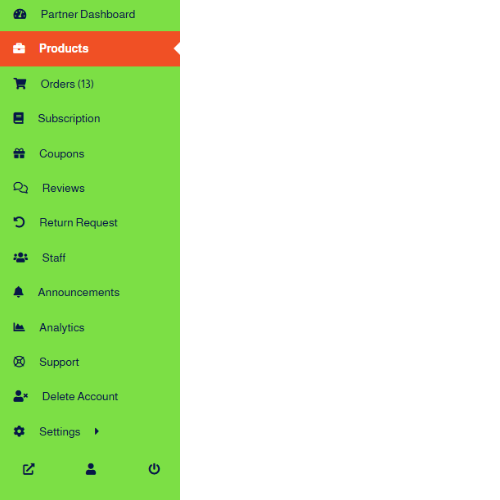
5- ✅ Dashboard 🔑

1-  Partner Dashboard

2- Products

3- Orders

4- Subscription

5- Coupons

6- Reviews

7- Return Requests 

8- Staff

9- Announcments

10- Analytics

11- Support

12- Delete Account

13- Settings

14- View Store, My Account, Logout

6- 🚫 Prohibited Items on Suum Marketplace

The following are not allowed to be sold on our platform:

Fine jewelry

Pets or live animals

Alcohol or alcoholic products

Prescription or non-prescription medicine

Currencies or crypto assets

Tobacco or vaping products

Antiques

Items related to human trafficking or illegal activity

Violation of these rules may result in account suspension or permanent ban.

7- 🗑️ Account Deletion

You may delete your vendor account at any time from your dashboard. Please note:

Marketplace fees are non-refundable

Deletion is permanent and cannot be undone

📬 Need Help? For support or questions during setup or operations, contact us at 📧 care@suummarketplace.com Thank you for being a part of Suum Marketplace. Let’s grow together!

Home Shop Cart Categories
Shopping Cart (0)

No products in the cart. No products in the cart.

Main Menu